Introducing the Inibox 850M: A New Era for Initverse Mining
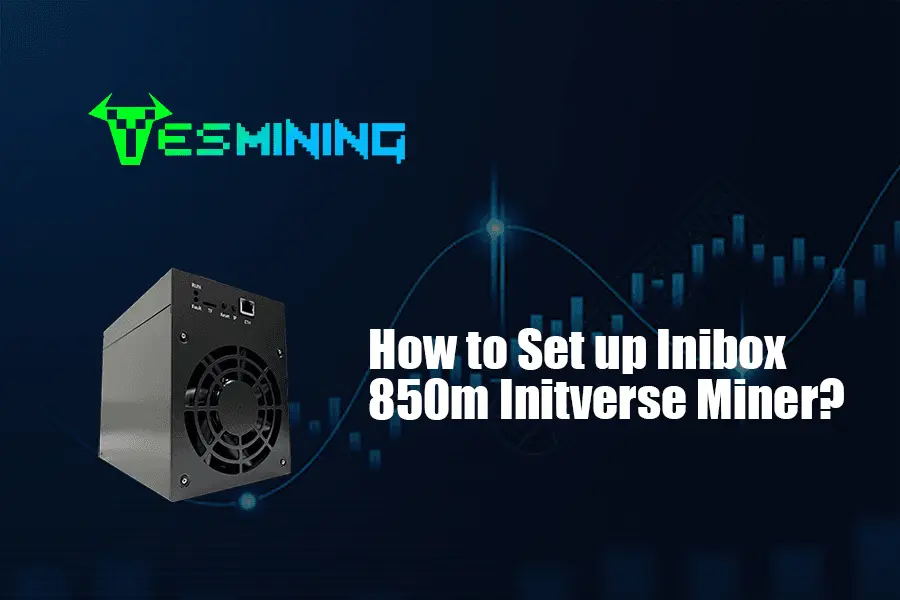
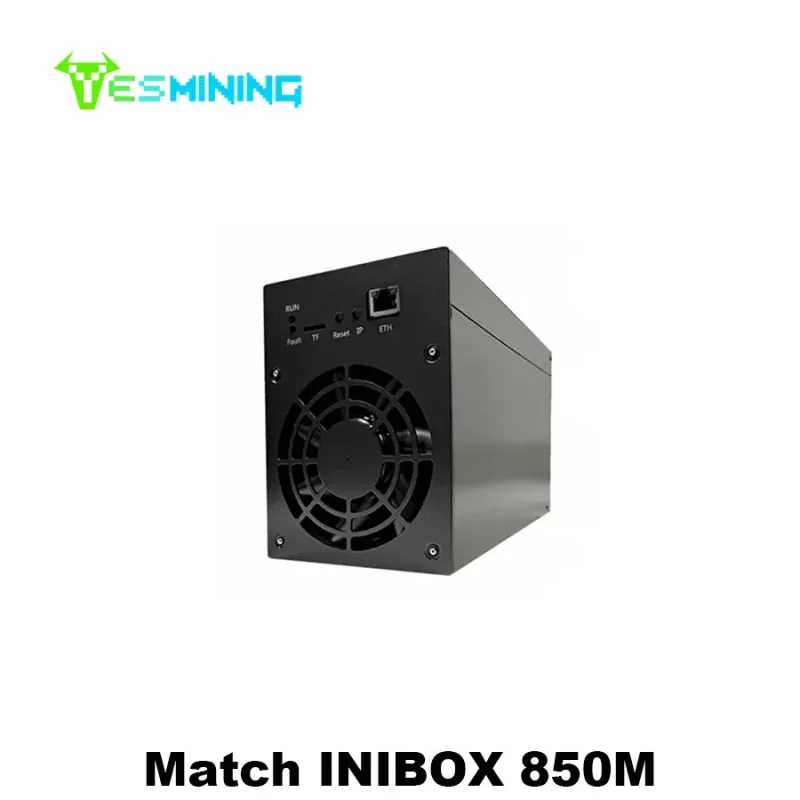
The Inibox 850M is not just another ASIC miner. It is the first specialized hardware designed explicitly for mining Initverse (INI), marking a significant leap from inefficient CPU-based mining. Developed by the hardware manufacturer Pinecone, this device leverages a custom-designed chip optimized for the VersaHash privacy algorithm, which underpins the INIChain network.
For miners, this represents a paradigm shift. The Inibox 850M delivers a staggering hash rate of 850 MH/s, a figure that dramatically outpaces all existing INI mining equipment. More importantly, it achieves this while maintaining remarkably low power consumption and noise levels, making it suitable for both large-scale operations and home-based mining setups.
This guide, based on official documentation and community-tested procedures, provides you with the authoritative knowledge to deploy and optimize your Inibox 850M miner successfully.
Key Specifications and Performance Metrics
Understanding your hardware’s capabilities is crucial for setting realistic expectations. Below are the core specifications for the Inibox 850M, compiled from multiple technical reviews and the official standard operating guide.
| Specification | Detail | Significance for Miners |
|---|
| Hash Rate | 850 MH/s ±5% | Exceptional speed for block verification, leading to higher potential rewards. |
| Power Consumption | 465W – 480W | Low operational cost; can run on a standard 220V/10A household outlet. |
| Power Efficiency | ~1.7-1.78 MH/s per Watt | Excellent energy efficiency, crucial for maintaining profitability. |
| Noise Level | 45-55 decibels | Quieter than many household appliances, enabling discreet home operation. |
| Dimensions & Weight | 196165125 mm, ~3.05 kg | Compact and lightweight for easy deployment and scaling. |
| Operating Temperature | Stable below 65°C under continuous 48-hr operation | Reliable thermal design ensures stability and hardware longevity. |
| Supported Algorithm | VersaHash (optimized for INIChain) | Purpose-built for Initverse, ensuring maximum efficiency. |
Authoritative Insight: The miner’s design incorporates an industrial-grade cooling system and intelligent frequency modulation, which allows it to maintain high performance while keeping temperatures and noise in check. This thoughtful engineering directly contributes to a lower total cost of ownership.
Pre-Setup Checklist: What You Need Before Starting
Before you power on your miner, ensure you have all the necessary components and information. This preparation prevents common setup delays.
The Miner & Power Supply: Ensure you have the Inibox 850M unit and its compatible power supply that supports three 6-pin ports.
Network Infrastructure: A stable internet connection and an Ethernet cable are required. The miner does not support Wi-Fi connectivity.
Mining Pool Account: You must choose and register with a mining pool that supports INI mining. YatesPool is a tested and compatible option.
INI Wallet Address: Have a secure cryptocurrency wallet that supports Initverse (INI) tokens ready. This address is where your mining rewards will be sent.
Setup Device: A Windows computer on the same local area network (LAN) as the miner is required for initial configuration.
Verification: Upon receiving your miner, verify its authenticity by checking the four anti-counterfeit codes: the body SN code, official website registration code, power adapter anti-counterfeit code, and packaging box check code.
Step-by-Step Setup Guide: Two Methods
You can configure your Inibox 850M using either a dedicated group control tool for managing multiple units or a web-based interface for single-unit management. Both methods are officially supported.
Method 1: Using the INIBOX Group Control Tool (Recommended for Multiple Miners)
This is efficient for managing several devices from one computer.
1. Power Up: Connect the miner to power and plug in the Ethernet cable. Turn it on and wait about one minute until the front blue light stays solid, indicating a successful boot.
2. Download & Launch Tool: On your Windows PC, download the iniBox.exe v1.2 group control tool. Launch it and enter the default password: inibox.
3. Scan for Miners: Ensure your PC is on the same LAN as the miner. In the tool, set the start and end IP range to match your network and click “Scan.” Your miner’s IP address should appear in the list.
4. Configure: Right-click on the miner’s IP address and select “Configure Pool Info.” Enter your mining pool URL and worker credentials (details in the next section). The configuration will take approximately 6 minutes to apply.
Method 2: Using the Web Management Interface (Simple for Single Miner)
This method provides a straightforward, browser-based setup.
1. Power Up & Find IP: Power on the miner as described in Method 1. You need to find its local IP address, which can typically be found in your router’s connected device list.
2. Access the Interface: Open a web browser on a PC on the same network. In the address bar, enter: http://[MINER_IP_ADDRESS]:26666 (replace [MINER_IP_ADDRESS] with the actual IP).
3. Login & Configure: Log in with the default password: inibox. You will be presented with a dashboard. Navigate to the configuration section to input your mining pool and wallet information.
Professional Tip (Based on Community Experience): If your network environment is stable, use the primary pool addresses (e.g., port 31557). If you experience network instability, switch to the alternative ports (e.g., 31556) as they may provide a more stable connection.
Connecting to a Mining Pool and Wallet
The miner cannot mine solo; it must contribute its hashing power to a collective pool.
Choosing a Pool: The guide references YatesPool (yatespool.com) as a compatible option. You must choose a stratum server address provided by your pool.
Configuring the Worker: This is a critical step. The worker name usually follows the format: YourWalletAddress.CustomWorkerName. For example: 0xYourINIWalletAddress.Rig1. The custom name helps you identify this specific miner on the pool’s dashboard.
Saving Settings: After entering the URL (pool address), Worker, and a Password (any custom password), click “Save & Apply.” The miner will connect to the pool and begin working after the configuration period.
Monitoring, Optimization, and Troubleshooting
Once running, consistent monitoring ensures optimal performance and quick problem resolution.
Monitoring Performance: Use either the group control tool or the web interface (:26666) to view real-time stats like hash rate, chip temperature, and fan speed.
Basic Optimization: The web interface allows for frequency adjustment (currently only supports down-clocking for lower power/heat). For most users, the default performance-optimized setting is ideal.
Common Troubleshooting:
No Hash Rate: Try restarting the mining program via the right-click menu in the group control tool.
Miner Not Found on Network: Verify the LAN connection and IP range. You can use the “Find Location” feature in the control tool, which will make the miner’s blue light flash.
High Hardware Errors: Check network stability and consider switching to the more stable pool port.
Device Overheating: Ensure the miner is in a well-ventilated space, free from dust obstructions.
Calculating Your Profitability and ROI
The primary appeal of the Inibox 850M is its promising return on investment (ROI). Based on performance data from mid-2025, its high efficiency leads to a projected payback period of approximately 57 days, calculated against electricity costs and the market price of INI at that time.
Important Disclaimer: This ROI is a historical snapshot, not a guarantee. Your actual profitability depends on three volatile factors:
1. Cryptocurrency Market Price: The value of INI coin.
2. Network Mining Difficulty: As more miners like the Inibox 850M join the network, the difficulty will adjust.
3. Your Local Electricity Cost: This is your largest ongoing operational expense.
You should use an online mining calculator, inputting the current INI price, network difficulty, and your electricity rate, to get an up-to-date profitability estimate.
Best Practices for Long-Term Operation
Cooling is Key: Always place the miner in a cool, dry location with ample airflow. Proper cooling directly extends the hardware’s lifespan.
Stable Power Supply: Use a reliable power source to avoid surges that can damage components.
Regular Maintenance: Periodically clean dust from the air intakes and fans to prevent overheating.
Stay Updated: Follow official channels for any firmware updates or new management tools.
Security: Always purchase hardware through official channels to avoid scams or receiving refurbished units. Never share your wallet private keys.
Conclusion: Is the Inibox 850M Right for You?
The Inibox 850M is a game-changer for anyone serious about Initverse mining. Its unmatched hash rate, superior energy efficiency, and user-friendly design make it a compelling choice. It lowers the barrier to entry for individual miners while offering the performance needed for professional operations.
Final Authoritative Recommendation: This miner is an excellent investment if you have access to affordable electricity, believe in the long-term potential of the Initverse ecosystem, and are prepared for the inherent volatility of cryptocurrency mining. By following this authoritative setup and optimization guide, you are well-positioned to start your mining journey on solid technical ground.
About the Author: This guide was compiled based on analysis of official technical specifications, the detailed standard operating procedure, and performance reviews. The advice synthesizes technical documentation with practical community insights to provide a trustworthy resource for miners. For authoritative updates, always refer to the manufacturer’s official communications.





























 Bitmain
 Iceriver
 Bitdeer
 BOMBAX
 DragonBall
 Elphapex
 Fluminer
 Goldshell
 iBelink
 Ipollo
 Jasminer
 Volcminer
 Bitcoin(BTC) Miner
 Aleo Miner
 CKB Miner
 ETC Miner

 Kaspa(KAS) Miner


 Siacoin(SC) Miner