If you’re planning to mine Litecoin (LTC), Dogecoin (DOGE), or other Scrypt coins, the Antminer L11 is a high-efficiency ASIC miner designed for stable long-term operation. This guide provides a complete Antminer L11 setup walkthrough covering physical installation, network configuration, mining pool setup, performance optimization, and operational best practices.
For verified supply, technical consultation, and global delivery, you can view the Antminer L11 product page here: Bitmain Antminer L11 Miner.
Table of Contents
What Is the Antminer L11?
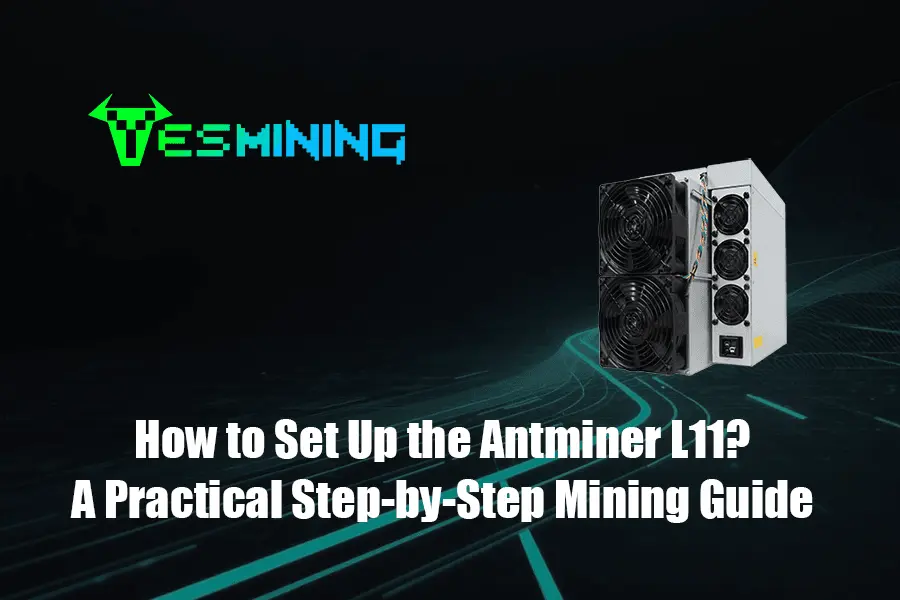
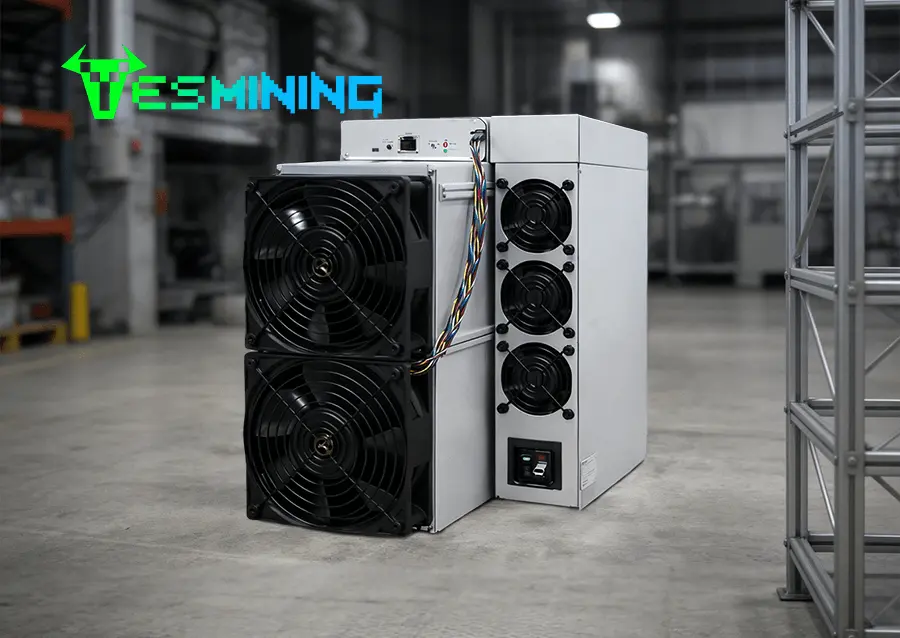
The Antminer L11 is a professional-grade Scrypt ASIC miner manufactured by Bitmain. It is engineered to mine cryptocurrencies such as Litecoin, Dogecoin, and other Scrypt-based coins with high stability and energy efficiency.
The miner integrates industrial cooling architecture, optimized hash boards, and intelligent control firmware to maintain consistent hashrate under continuous workloads. This makes the Antminer L11 suitable for both individual miners and commercial mining operations.
Reliable remote management, firmware upgrade capability, and compatibility with major mining pools allow operators to scale efficiently while maintaining operational visibility.
About Our Mining Experience
This guide is created by the technical operations team at Yesmining, a professional ASIC miner supplier serving international mining clients across North America, Europe, and the Middle East.
Our engineers support real-world miner deployments including home mining environments, containerized farms, and industrial mining facilities. Daily operational tasks include power planning, firmware validation, thermal optimization, network stability testing, and long-term maintenance support.
The recommendations in this guide are based on real deployment feedback and continuous operational monitoring rather than theoretical documentation alone.
The recommendations in this guide are based on real deployment feedback and continuous operational monitoring rather than theoretical documentation alone.
The recommendations in this guide are based on real deployment feedback and continuous operational monitoring rather than theoretical documentation alone.
For verified hardware supply and professional consultation, or if you have any questions, visit our Yesmining Contact Page.
What You’ll Need Before Setup
Hardware Requirements
Prepare the following hardware before starting your Antminer L11 setup:
• Antminer L11 miner
• Compatible power cables and power distribution unit (PDU)
• Stable 220–240V dedicated power circuit
• Ethernet cable (wired connection required)
Network and Software Requirements
• Stable wired internet connection
• Router or managed network switch
• IP scanning tool for device discovery (optional)
• Mining pool account credentials
Environment Requirements
Install the miner in a clean, dry, and well-ventilated environment. Recommended ambient temperature should remain below 40°C with adequate airflow to prevent thermal throttling and hardware degradation.
Electrical Safety and Power Compliance
Antminer L11 operates under high electrical load and must be installed according to local electrical safety regulations. Improper wiring, overloaded circuits, or substandard cables can cause unstable performance, overheating, or equipment damage.
Use certified power cables, dedicated circuits, grounding protection, and industrial-grade PDUs whenever possible. Commercial installations should consult a licensed electrician to ensure compliance with regional electrical standards.
Stable voltage input and surge protection significantly improve miner reliability and service life.
Step-by-Step Antminer L11 Setup Guide
1. Unbox and Position
Unpack the Antminer L11 and place it on a stable surface with sufficient clearance for airflow. Avoid stacking units directly without airflow spacing.
2. Connect Power
Connect the miner to a dedicated power circuit using appropriate cables and ensure the power supply capacity meets load requirements.
3. Connect Network
Connect an Ethernet cable between the miner and your router or switch. Wireless connections are not supported.
4. Power On and Boot
Power on the unit and allow several minutes for system initialization and network assignment.
5. Find the Miner IP Address
Use router dashboards or IP scanning tools to locate the assigned IP address of the miner on your network.
6. Access the Web Interface
Enter the IP address in a browser and log into the control interface. Change the default password immediately for security.
Enter mining pool stratum address, worker name, and password. Configure backup pools to improve uptime.
8. Start Mining
Save the configuration and allow the miner to connect. Hashrate statistics will appear within several minutes.
If you are sourcing equipment, you can check current Antminer L11 availability here:
Buy Antminer L11.
Maintain stable power input, clean airflow channels regularly, monitor operating temperatures, and keep firmware updated to ensure consistent performance and hardware longevity.
Choosing low-latency mining pools and stable network routing improves accepted share rate and reduces rejected shares.
Operational Best Practices for Long-Term Mining
Long-term mining success depends on proactive monitoring and preventive maintenance.
• Weekly inspection for abnormal fan noise and dust accumulation
• Monthly cleaning of intake vents and filters
• Continuous temperature tracking
• Hashrate performance logging
• Spare parts readiness for rapid replacement
These practices minimize downtime and stabilize operational ROI.
Common Issues & Troubleshooting
| Issue | Recommended Action |
|---|
| Miner not detected on network | Verify Ethernet cable and switch port |
| Cannot access web interface | Confirm IP address and subnet |
| Pool connection errors | Recheck stratum address and credentials |
| High operating temperature | Improve ventilation and reduce ambient heat |
Frequently Asked Questions
What coins can the Antminer L11 mine?
The Antminer L11 supports Scrypt-based cryptocurrencies including Litecoin and Dogecoin.
Does Antminer L11 support wireless networking?
No. A wired Ethernet connection is required.
Is Antminer L11 suitable for beginners?
Yes. The setup and configuration process is straightforward with basic networking knowledge.
Where can I purchase Antminer L11?
You can purchase from authorized suppliers such as Yesmining:
View Product.
Data Accuracy and Responsibility Disclaimer
Mining profitability and performance depend on electricity cost, network difficulty, ambient conditions, and operational practices. Information provided is for educational purposes only and does not constitute financial advice.
Always follow manufacturer documentation and local regulatory requirements when operating mining equipment.
Final Thoughts
The Antminer L11 provides stable performance, scalable deployment capability, and efficient Scrypt mining operation. With proper setup, monitoring, and preventive maintenance, operators can achieve consistent long-term mining stability.
Professional infrastructure planning and reliable hardware sourcing further reduce operational risk and improve deployment success.























 Bitmain
 Iceriver
 Bitdeer
 BOMBAX
 DragonBall
 Elphapex
 Fluminer
 Goldshell
 iBelink
 Ipollo
 Jasminer
 Volcminer
 Bitcoin(BTC) Miner
 Aleo Miner
 CKB Miner
 ETC Miner

 Kaspa(KAS) Miner


 Siacoin(SC) Miner