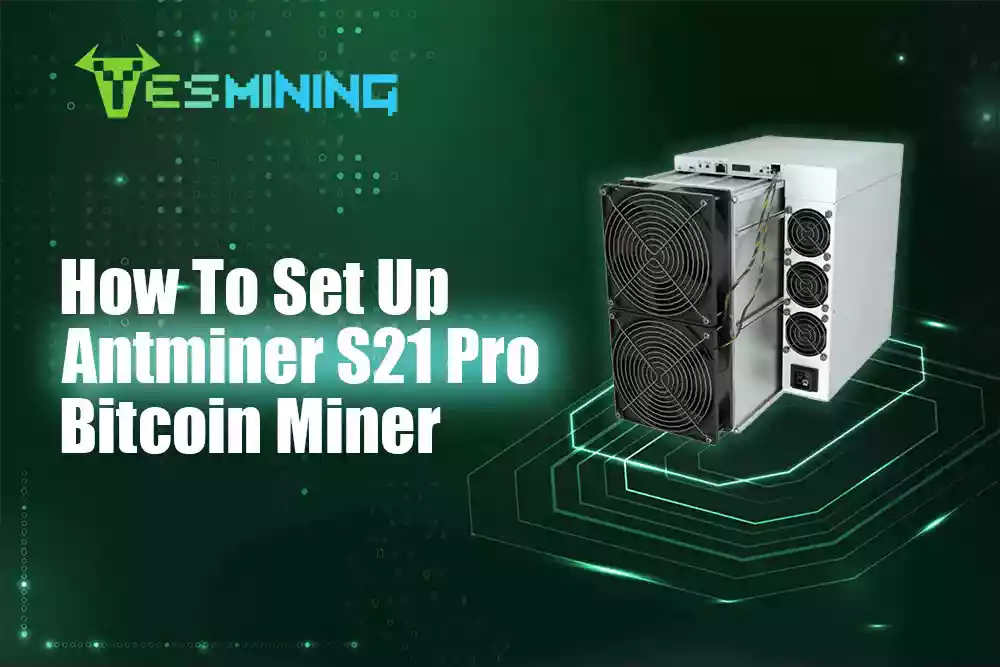
The Antminer S21 Pro represents a high-performance Bitcoin mining solution engineered for maximum efficiency. This step-by-step guide explores its cutting-edge features and operational parameters, demonstrating how to maximize its potential for optimal ROI.
The article covers professional deployment techniques from hardware configuration to firmware optimization and power tuning.
We include troubleshooting protocols for sustained stability, empowering both beginners and seasoned miners to unlock peak profitability.
Discover more expert mining insights at Yesmining.
What’s so Great About the Antminer S21 Pro?
- Hash Rate and Performance
The Antminer S21 Pro has an amazing hash rate of 234 TH/s. In simple terms, this means it can process a lot of data very quickly – which is what you want most when mining. Compared to older models like the S19, the S21 Pro has a greater hash rate and greater money-making benefits.
Power usage is very important in mining. The S21 Pro uses 3,510W and offers an energy efficiency of 15 J/TH. Energy costs are one of the biggest factors affecting mining profitability. With an energy efficiency of 15 J/TH, the S21 Pro will cost you less on electricity than older miners like the Antminer S19, which runs at around 30 J/TH.
The compact design makes it easy to fit multiple devices into a mining rig. The machine has good heat dissipation for trouble-free operation 24/7 and is durable.
This miner uses the SHA-256 algorithm and is tailored for Bitcoin and some other cryptocurrencies that use the same technology.
Here’s a quick comparison:
Better energy efficiency means greater returns for you rather than paying the power company.
ROI and Financial Expectations
The Antminer S21 Pro sells for around $3,990. That’s just the cost of the hardware, but you’ll need to factor in additional costs like shipping, cooling, and maybe even some professional help to set it up.
In the current scenario, you’re earning around $355.25 per month, with electricity costs around $204.48 ( at US electricity rates). That leaves you with a net profit of around $150.77 per month. Not bad, right?
If all goes well, you can expect to break even a few months earlier than with a comparable model. Model S21 Pro gives you a quicker return on your investment, with the option to scale up faster if needed.
Pro Tip: If the price of coins goes up, holding onto your mined coins instead of selling them right away can improve your long-term profits.
Pools Worth Joining
You’ll need to join a mining pool to get more consistent returns. Here are some good options:
– F2Pool: One of the most popular and user-friendly mining pools. Charges a 2.5% fee.
– AntPool: Operated by Bitmain (the same manufacturer as the S21 Pro). Fees are 2%.
– Slush Pool: Known for transparency and long-term track record. Fees are also 2%. –
ViaBTC: Great for miners who want to mine different cryptocurrencies. Fees are 2%.
Each mining pool has its pros and cons, so before joining, check information such as payment methods and minimum withdrawal amounts.
Setting up the Antminer S21 Pro
Getting started is very simple:
1. Visit the BITMAIN firmware download link. Download the IP reporting tool from Bitmain’s official website.
2. Run the tool as an administrator to find the IP address of your miner.
3. Press the IP report button on your machine.
4. Log in to the miner interface with the displayed IP.
5. Change default settings, such as passwords and network settings. It is recommended to use a static IP.
*For help with gateways and DNS, please read the BITMAIN support articles or contact us for expert guidance.
Make sure to place the miner in a cool and well-ventilated place. The miner will heat up, and overheating will affect performance and shorten its service life.
Maintenance Tips to Keep Your Miner Running Smoothly
Regular Cleaning.
Every 2-4 weeks, use compressed air to blow dust off fans and vents. Clean hardware is good hardware.
Check for wear and tear.
Check your machine monthly for loose cables or strange noises. If something doesn’t feel right, fix it before it gets worse.
Control the Environment.
The ideal operating temperature is between 68°F and 77°F, and humidity should be kept below 65%. If possible, set up a dedicated space with good ventilation.
Get more out of preventive maintenance techniques.
The Big Picture: Market Risks and Long-Term Strategy
Market conditions are critical, and the cryptocurrency market is unpredictable.
Here are some things to keep in mind:
– Energy trends: Many mining companies are switching to renewable energy sources. The efficiency of the S21 Pro puts you ahead of the times.
– Rising costs: As energy and hardware prices climb, efficient miners like the S21 Pro can help you stay profitable.
– Coin prices: When BTC prices fall, mining becomes less profitable. But with the S21 Pro’s efficiency, you’re more likely to stay profitable.
– Think about the future: Its performance and low energy consumption mean you can mine for a long time. 3-5 years on average if used correctly.
Final Thoughts
The Antminer S21 Pro checks a lot of boxes: it’s powerful, energy-efficient, durable, and relatively easy to manage. Whether you’re new to mining or looking to expand your setup, this is a solid investment – especially if you’re serious about long-term profitability.
With a little planning, proper setup, and regular maintenance, you can get the most value from this machine and make the most of your Bitcoin mining journey.

 English
  Russian
  Spanish
  French
  German

























 Bitdeer
 Bitmain
 BOMBAX
 DragonBall
 Elphapex
 Fluminer
 Goldshell
 iBelink
 Iceriver
 Ipollo
 Jasminer
 Volcminer
 Aleo Miner
 Bitcoin(BTC) Miner
 CKB Miner

 ETC Miner


 Kaspa(KAS) Miner


 Siacoin(SC) Miner